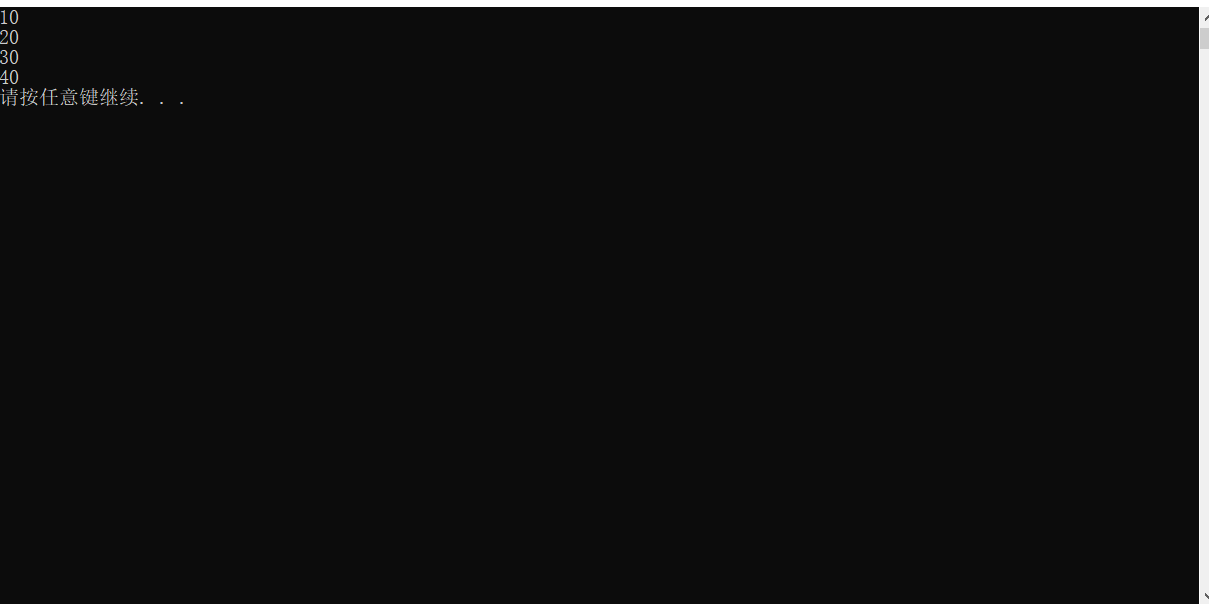
模板
模板就是建立通用的模具,大大提高复用性
注意:
-
模板不可以直接使用,模板只是一个框架
-
模板的通用并不是万能的
1、函数模板
-
C++ 另一种编程思想成为
泛型编程,主要利用的技术就是模板 -
C++ 提供两种模板机制:函数模板 和 类模板
1.1、函数模板语法
函数模板作用:
建立一个通用函数,其函数返回值类型和形参类型可以不具体制定,用一个虚拟的类型来代表。
语法:
xxxxxxxxxx
template<typename T>
函数声明或定义
解释:
template — 声明创建模板
typename — 表示其后面的符号是一种数据类型,typename 可以用 class 代替
T — 通用的数据类型,名称可以替换,通常为大写字母
示例:
xxxxxxxxxx
using namespace std;
//函数模板
//交换两个 int 类型数据 函数
void swapInt(int &a,int &b) {
int temp = a;
a = b;
b = temp;
}
//交换两个 double 类型数据 函数
void swapDouble(double &a,double &b) {
double temp = a;
a = b;
b = temp;
}
//利用函数模板 交换两个数据
template<typename T> //声明一个模板,告诉编译器后面代码中紧跟着 T 不要报错,T 是一个通用数据类型
void mySwap(T &a,T &b) {
T temp = a;
a = b;
b = temp;
}
void test01() {
cout << "test01函数执行" << endl;
int a = 10;
int b = 20;
cout << "交换前 a 为:" << a << endl;
cout << "交换前 b 为:" << b << endl;
swapInt(a, b);
cout << "交换后 a 为:" << a << endl;
cout << "交换后 b 为:" << b << endl;
cout << endl;
double c = 1.2;
double d = 3.3;
cout << "交换前 c 为:" << c << endl;
cout << "交换前 d 为:" << d << endl;
swapDouble(c,d);
cout << "交换后 c 为:" << c << endl;
cout << "交换后 d 为:" << d << endl;
cout << endl;
}
void test02() {
cout << "test02函数执行" << endl;
cout << endl;
//两种方式使用函数模板
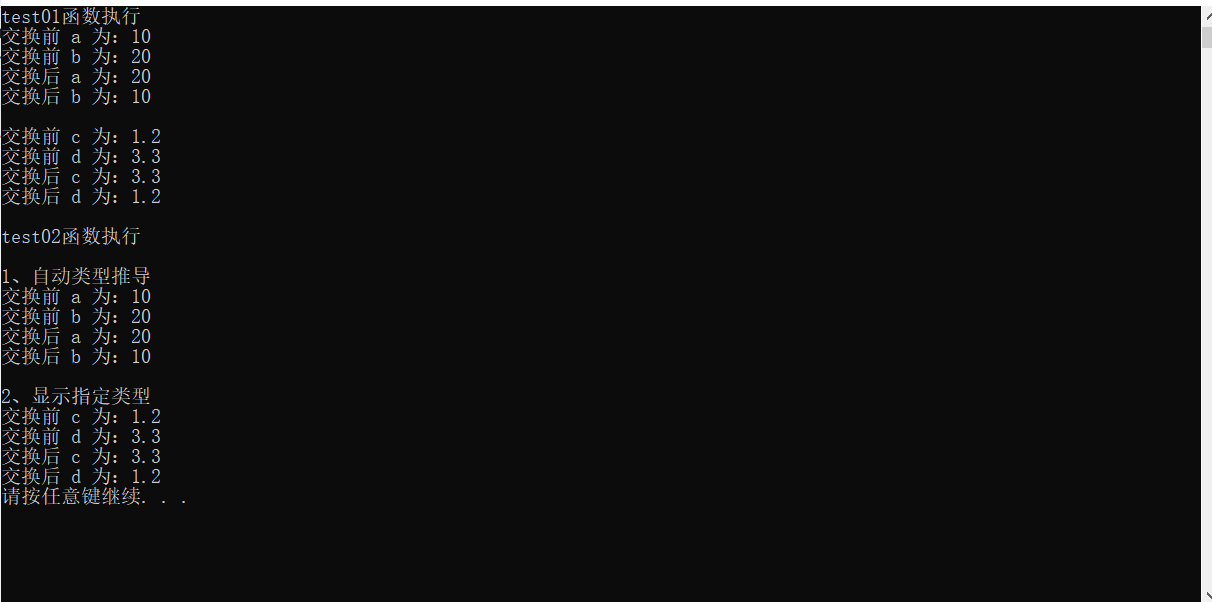
//1、自动类型推导
cout << "1、自动类型推导" << endl;
int a = 10;
int b = 20;
cout << "交换前 a 为:" << a << endl;
cout << "交换前 b 为:" << b << endl;
mySwap(a, b);
cout << "交换后 a 为:" << a << endl;
cout << "交换后 b 为:" << b << endl;
cout << endl;
//2、显示指定类型
cout << "2、显示指定类型" << endl;
double c = 1.2;
double d = 3.3;
cout << "交换前 c 为:" << c << endl;
cout << "交换前 d 为:" << d << endl;
mySwap<double>(c, d);
cout << "交换后 c 为:" << c << endl;
cout << "交换后 d 为:" << d << endl;
}
int main() {
test01();
test02();
system("pause");
return 0;
}
运行:
总结:
-
函数模板利用关键字
template -
使用函数模板有两种方式:自动类型推导、显示指定类型
-
模板的目的是为了提高复用性,将类型参数化
1.2、函数模板注意事项
-
自动类型推导,必须推导出一致的数据类型 T ,才可以使用
-
模板必须要确定出 T 的数据类型,才可以使用
示例:
x
using namespace std;
//函数模板注意事项
//1、自动类型推导,必须推导出一致的数据类型 T 才可以使用
template<typename T>
void mySwap(T& a, T& b) {
T temp = a;
a = b;
b = temp;
}
void test01() {
cout << "test01 函数执行" << endl;
int a = 10;
int b = 20;
cout << "交换前 a 为:" << a << endl;
cout << "交换前 b 为:" << b << endl;
mySwap(a, b);
cout << "交换后 a 为:" << a << endl;
cout << "交换后 b 为:" << b << endl;
double c = 1.1;
//mySwap(a,c); 因为类型不同,所以无法自动推导
cout << endl;
}
//2、模板必须要确定出 T 的数据类型,才可以使用
template<typename T>
void func() {
cout << "func 函数执行" << endl;
}
void test02() {
cout << "test02 函数执行" << endl;
//func(); 无法执行,因为没有传入参数让编译器自动推导数据类型
//需要显示确定数据类型
func<int>();
}
int main() {
test01();
test02();
system("pause");
return 0;
}
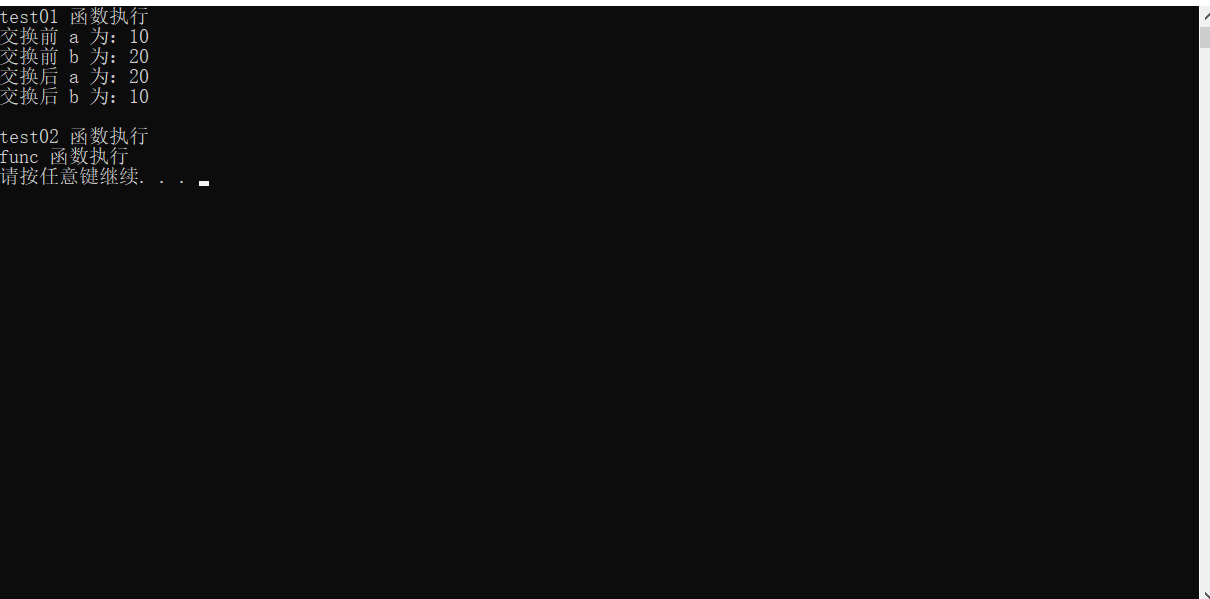
运行:
总结:
-
使用模板时必须确定出通用数据类型 T,并且能够推导出一致的类型
1.3、函数模板案例
-
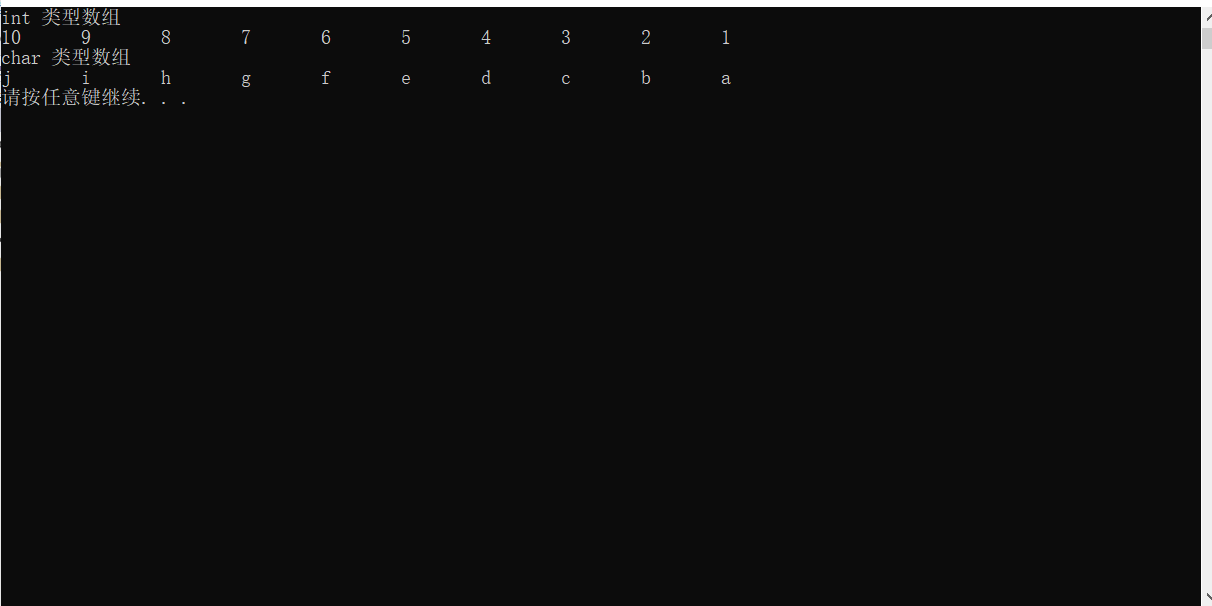
利用函数模板封装一个排序的函数,可以对 不同数据类型数组 进行排序
-
排序规则从大到小,排序算法为 选择排序
-
分别利用 char数组 和 int数组 进行测试
示例:
xxxxxxxxxx
using namespace std;
//规则:从大到小
//算法:选择排序
//交换的函数
template<typename T>
void mySwap(T &a,T &b) {
T temp = a;
a = b;
b = temp;
}
//排序的函数
template<typename T>
void mySort(T arr[],int arrayLength) {
//声明最大值的下标
int max;
//循环
for (int i = 0; i < arrayLength; i++)
{
//默认最大值为第一个值
max = i;
//循环
for (int j = i + 1; j < arrayLength; j++)
{
//判断当前的值是否比记录的最大值的元素大
if (arr[j] > arr[max])
{
//如果大,则将记录的最大值更新为当前值的下标
max = j;
}
}
//判断 最大值是否不是记录的最大值
if (i != max)
{
//如果不是,则直接调用交换函数
mySwap(arr[max], arr[i]);
}
}
}
//打印输出函数
template<typename T>
void printArray(T arr[],int arrayLength) {
//循环
for (int i = 0; i < arrayLength; i++)
{
//输出数组中的元素
cout << arr[i] << '\t';
}
//循环完毕后输出换行
cout << endl;
}
void run() {
int arrayLength;
cout << "int 类型数组" << endl;
int intArray[] = {10, 2, 8, 7, 3, 4, 6, 5, 1, 9};
arrayLength = sizeof(intArray) / sizeof(intArray[0]);
mySort(intArray, arrayLength);
printArray(intArray, arrayLength);
cout << "char 类型数组" << endl;
char charArray[] = "agcefbdjhi";
arrayLength = sizeof(charArray) / sizeof(charArray[0]);
mySort(charArray, arrayLength);
printArray(charArray, arrayLength);
}
int main() {
run();
system("pause");
return 0;
}
运行:
1.4、普通函数与函数模板的区别
普通函数与函数模板的区别:
-
普通函数调用时可以发生自动类型转换(隐式类型转换)
-
函数模板调用时,如果利用自动类型推导,不会发生隐式类型转换
-
如果利用显示指定类型的方式,可以发生隐式类型转换
示例:
xxxxxxxxxx
using namespace std;
//普通函数
int test01(int a,int b) {
return a + b;
}
//函数模板
template <typename T>
int test02(T a,T b) {
return a + b;
}
void test03() {
int a = 10;
int b = 20;
char c = 'a';
//普通函数执行隐式转换
cout << "普通函数执行隐式类型转换:" << endl;
cout << "int 类型数据 + int 类型数据:" << test01(a, b) << endl;
cout << "int 类型数据 + char 类型数据:" << test01(a, c) << endl;
//因为执行了隐式类型转换,将 char 类型数据转为 int 类型,所以会导致转换的数据使用了 ASCII 编码转换
cout << endl;
//函数模板 自动类型推导 执行隐式类型转换
cout << "函数模板 自动类型推导 执行隐式类型转换:" << endl;
cout << "int 类型数据 + int 类型数据:" << test02(a, b) << endl;
//自动类型推导无法使用隐式类型转换,因为编译器不知道应该转换为哪种类型
//cout << "int 类型数据 + char 类型数据:" << test02(a, c) << endl;
cout << endl;
//函数模板 显示指定类型 执行隐式类型转换
cout << "函数模板 显示指定类型 执行隐式类型转换:" << endl;
cout << "int 类型数据 + int 类型数据:" << test02(a, b) << endl;
cout << "int 类型数据 + char 类型数据:" << test02<int>(a, c) << endl;
cout << endl;
}
int main() {
test03();
system("pause");
return 0;
}
运行:

总结:建议使用显式指定类型的方式调用函数模板,因为可以自己确定通用类型 T
1.5、普通函数与函数模板的调用规则
调用规则如下
-
如果函数模板和普通函数都可以实现,优先调用普通函数
-
可以通过空模板参数列表来强制调用函数模板
-
函数模板也可以发生重载
-
如果函数模板可以产生更好的匹配,优先调用函数模板
示例:
xxxxxxxxxx
using namespace std;
//普通函数与函数模板的调用规则
//普通函数
void func(int a,int b) {
cout << "普通函数被调用" << endl;
}
//函数模板
template <typename T>
void func(T a,T b) {
cout << "函数模板被调用" << endl;
}
//函数模板重载
template <typename T>
void func(T a, T b,T c) {
cout << "函数模板重载被调用" << endl;
}
void test01() {
int a = 10;
int b = 20;
//1、如果函数模板和普通函数都可以实现,优先调用普通函数
func(a, b);
cout << endl;
//2、可以通过空模板参数列表来强制调用函数模板
func<>(a, b);
cout << endl;
//3、函数模板也可以发生重载
func(a, b, 40);
cout << endl;
//如果函数模板可以产生更好的匹配,优先调用函数模板
char c = 'a';
char d = 'a';
func(c, d);
}
int main() {
test01();
system("pause");
return 0;
}
运行:
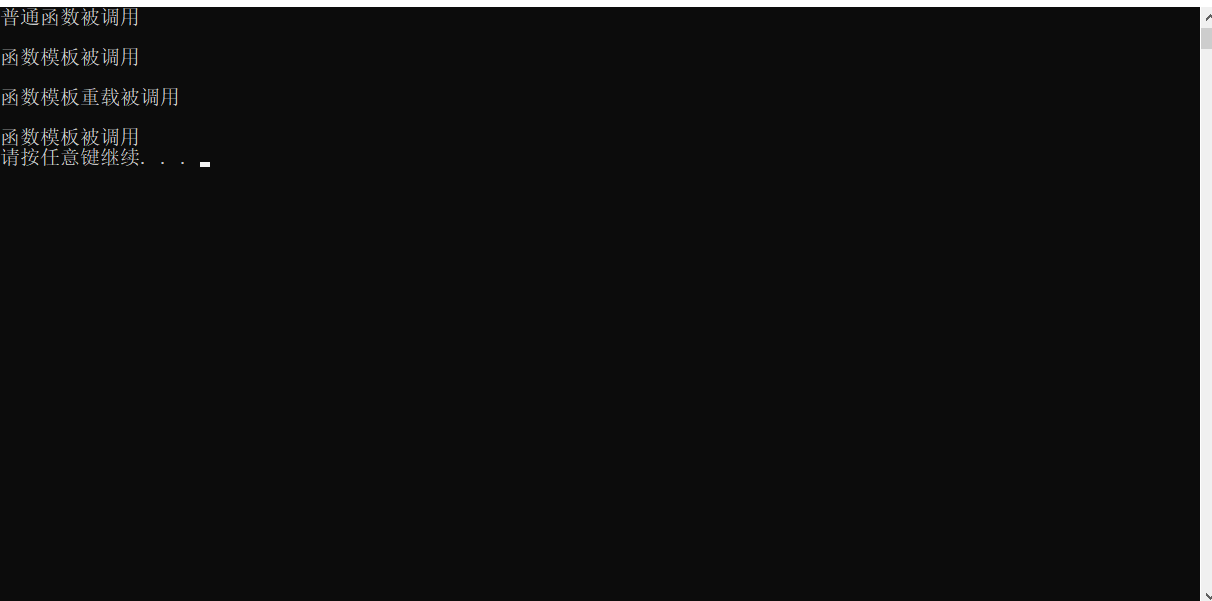
总结:既然提供了函数模板,最好不要再提供普通函数,否则容易出现二义性
1.6、模板的局限性
模板的通用性不是万能的
例如
xxxxxxxxxx
template<typename T>
void func(T a,T b){
a = b;
}
在该示例中,如果用户传入的是数组,因为数组无法直接赋值,所以在该示例中代码无法实现
再例如:
xxxxxxxxxx
template <typename T>
void func(T a,T b){
if (a < b) { ... }
}
如果该示例中,如果 T 的数据类型传入的是 自定义数据类型,同样无法正常运行
因此 C++ 为了解决这种问题,提供模板的重载,可以为这些 特定的类型 提供 具体化的模板
示例:
xxxxxxxxxx
using namespace std;
class Person {
public:
Person(int age, string name) {
this->age = new int(age);
this->name = new string(name);
}
int* age;
string* name;
};
//普通函数模板
template <typename T>
bool compare(T a,T b) {
return a == b ? true : false;
}
//具体化函数模板
template<> bool compare(Person p1,Person p2) {
return *p1.age == *p2.age && *p1.name == *p2.name;
}
//打印输出函数
void print(bool b1) {
if (b1)
{
cout << "这两个相同" << endl;
}
else
{
cout << "这两个不相同" << endl;
}
}
void test01() {
Person p1(18,"小马");
Person p2(44,"小宋");
Person p3(18,"小马");
//compare(p1, p2); 因为 p1 和 p2 都是利用自定义类 Person 实例化,所以编译器无法对比自定义类是否相等
//需要使用 特殊化模板/具体化模板
print(compare(p1, p2));
print(compare(p1, p3));
}
int main() {
test01();
system("pause");
return 0;
}
运行:
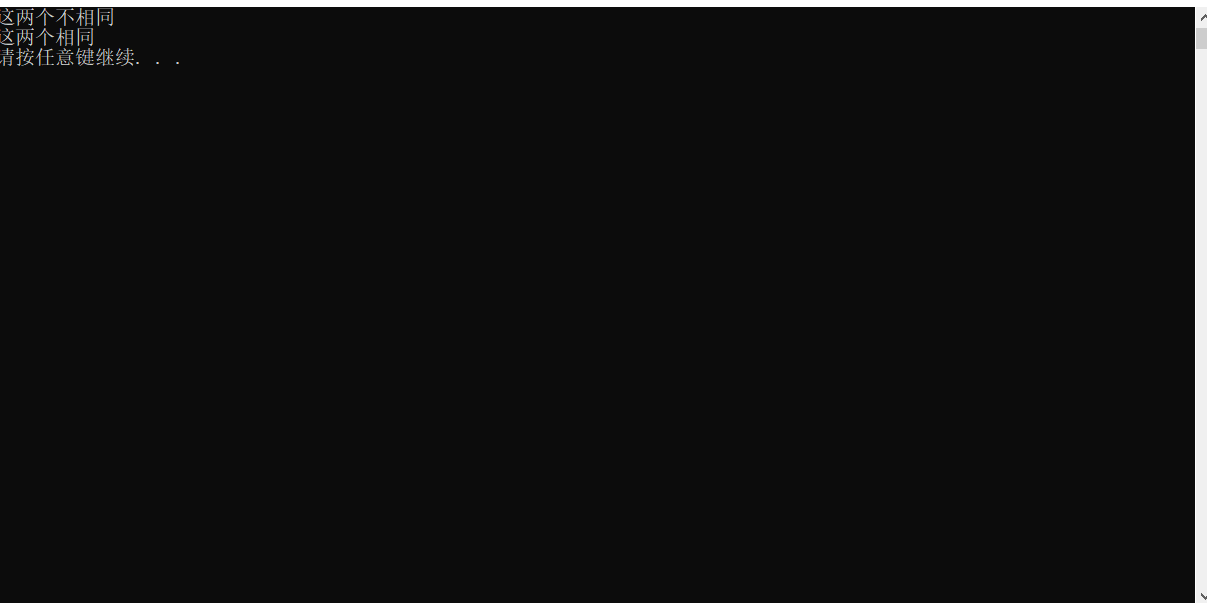
总结:
-
利用具体化的模板,可以解决自定义类型的通用化
-
学习模板并不是为了写模板,而是在 STL 能够运用系统提供的模板
2、类模板
2.1、类模板语法
类模板作用:
-
建立一个通用类,类中的成员 数据类型可以不具体制定,用一个虚拟的类型来代表
语法:
xxxxxxxxxx
template <typename T>
类
解释:
template — 声明创建模板
typename — 表明其后面的符号是一种数据类型, typename 可以用 class 代替
T — 通用的数据类型,名称可以替换,通常为大写字母
示例:
xxxxxxxxxx
using namespace std;
template<typename NameType ,typename AgeType>
class Person {
public:
Person(NameType name, AgeType age) {
this->age = new AgeType(age);
this->name = new NameType(name);
}
void print() {
cout << "name 为:" << *this->name << '\t' << "age 为:" << *this->age << endl;
}
NameType* name;
AgeType* age;
};
void test01() {
Person<string,int> p1("小马", 18);
p1.print();
}
int main() {
test01();
system("pause");
return 0;
}
运行:
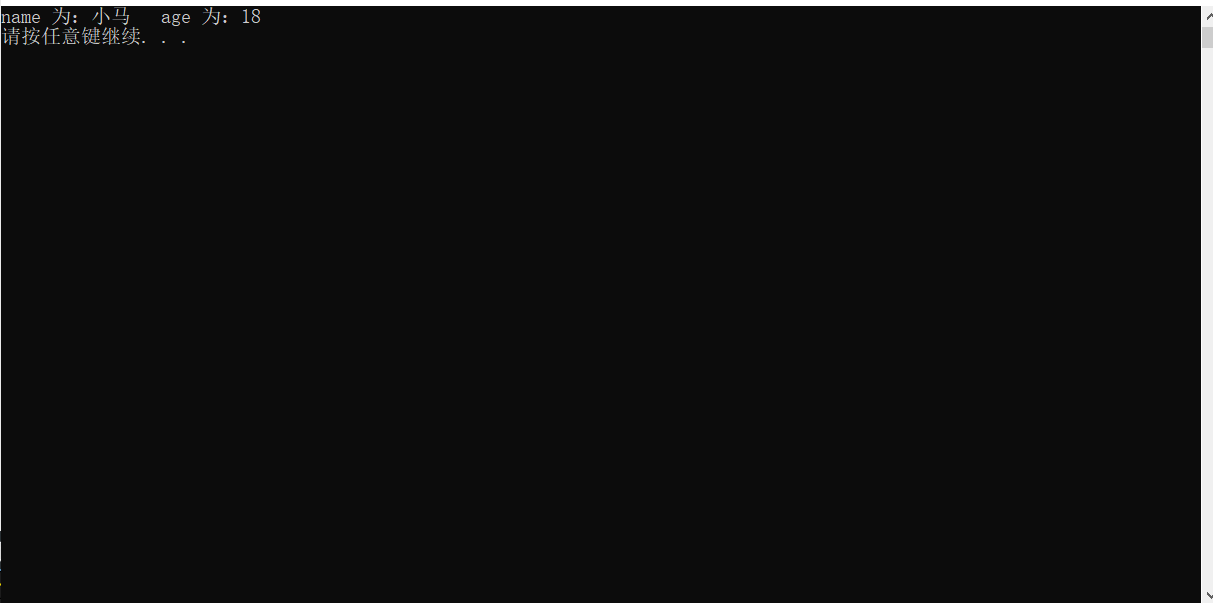
总结:类模板和函数模板语法相似,在声明模板 template 后面加类,此类称为 类模板
2.2、类模板与函数模板区别
类模板与函数模板区别主要:
-
类模板没有自动类型推导的使用方式
-
类模板在模板参数列表中可以有默认参数
示例:
xxxxxxxxxx
using namespace std;
template<typename NameType, typename AgeType>
class Person01 {
public:
Person01(NameType name, AgeType age) {
this->age = new AgeType(age);
this->name = new NameType(name);
}
void print() {
cout << "name 为:" << *this->name << '\t' << "age 为:" << *this->age << endl;
}
NameType* name;
AgeType* age;
};
//类模板在模板参数列表中可以有默认参数
template<typename NameType, typename AgeType = int>
class Person02 {
public:
Person02(NameType name, AgeType age) {
this->age = new AgeType(age);
this->name = new NameType(name);
}
void print() {
cout << "name 为:" << *this->name << '\t' << "age 为:" << *this->age << endl;
}
NameType* name;
AgeType* age;
};
void test01() {
//Person p1("小马", 18); 类模板没有自动类型推导的使用方式
Person01<string, int> p1("小马", 18);
p1.print();
//类模板在模板参数列表中可以有默认参数
Person02<string> p2("小宋", 44);
p2.print();
}
int main() {
test01();
system("pause");
return 0;
}
运行:
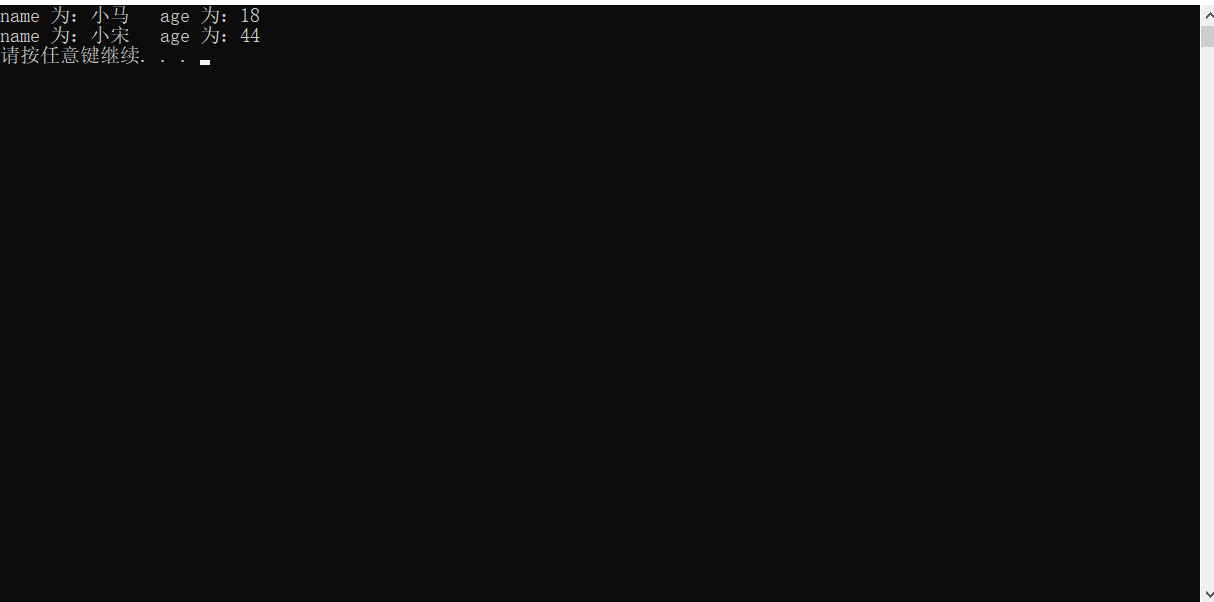
总结:
-
类模板使用只能用显示指定类型方式
-
类模板中的模板参数列表可以有默认参数
2.3、类模板中成员函数创造时机
类模板中成员函数和普通类中成员函数创建时机是有区别的:
-
普通类中的成员函数一开始就可以创建
-
类模板中的成员函数在调用时才创建
普通类示例:
xxxxxxxxxx
using namespace std;
//类模板中成员函数创建时机
//类模板中成员函数在调用时才去创建
//普通类
class Person01
{
public:
void func01() {
cout << "func01 函数被调用" << endl;
}
};
class Person02 {
public:
void func02() {
cout << "func02 函数被调用" << endl;
}
};
void test01() {
//普通类调用成员函数
Person01 p1;
Person02 p2;
p1.func01();
p1.func02();
p2.func01();
p2.func02();
}
int main() {
test01();
system("pause");
return 0;
}
该代码无法运行,编译器会提示 类 "类名" 没有成员 "函数名"

将报错代码移除
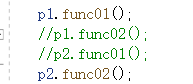
再次运行
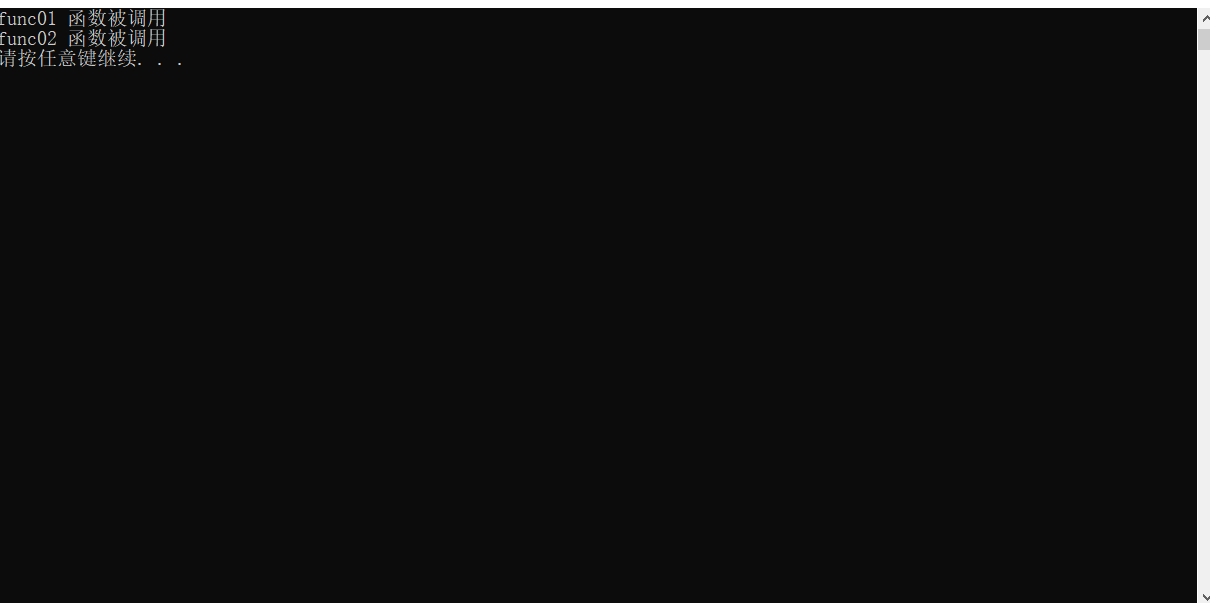
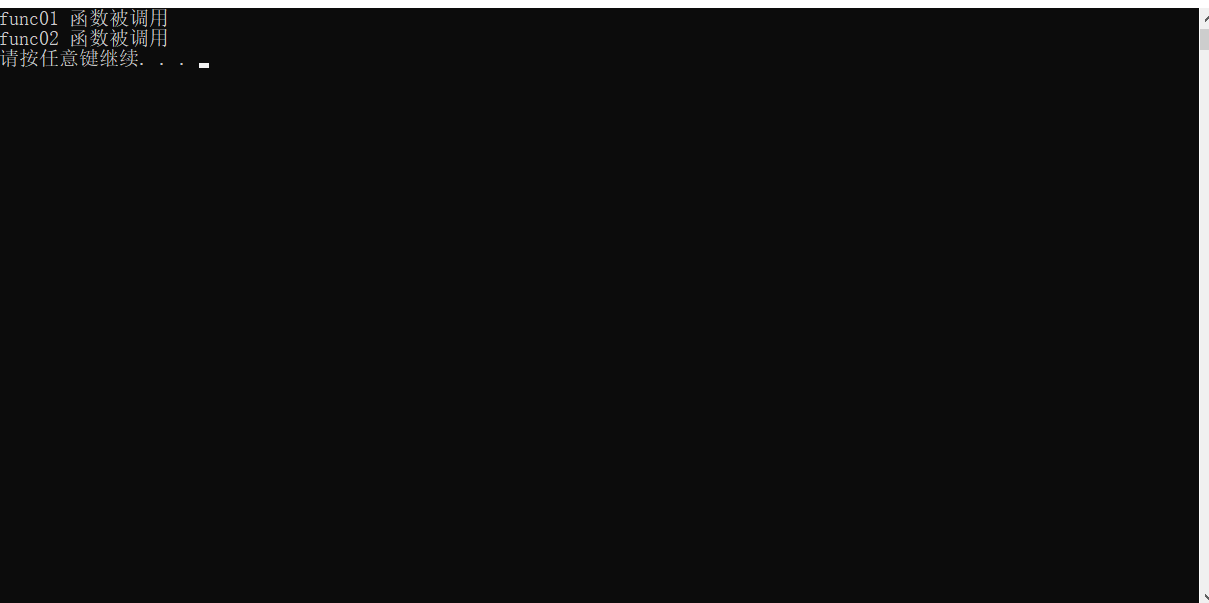
类模板示例:
x
using namespace std;
//类模板中成员函数创建时机
//普通类
//普通类的成员函数一开始就可以创建
class Person01
{
public:
void func01() {
cout << "func01 函数被调用" << endl;
}
};
class Person02 {
public:
void func02() {
cout << "func02 函数被调用" << endl;
}
};
//类模板
//类模板中的成员函数在调用时才会创建
template<typename T>
class Person03 {
public:
T obj;
void func01() {
obj.func01();
}
void func02() {
obj.func02();
}
};
void test01() {
//类模板调用成员函数
Person03<Person01> p3;
Person03<Person02> p4;
p3.func01();
p3.func02();
p4.func01();
p4.func02();
}
int main() {
test01();
system("pause");
return 0;
}
该段代码不会报错
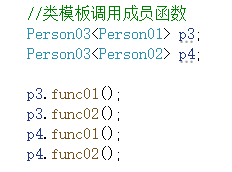
运行后会出现错误,因为类模板中的成员函数在调用时才会创建,也就是在调用时才会发现错误

删除相关代码后
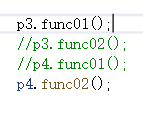
运行:
2.4、类模板对象做函数参数
学习目标:

-
类模板实例化出的对象,向函数传参的方式
一共有三种传入方式:
-
指定传入的类型 — 直接显示对象的数据类型
-
参数模板化 — 将对象中的参数变为模板进行传递
-
整个类模板化 — 将这个对象类型 模板化进行传递
示例:
xxxxxxxxxx
using namespace std;
template<typename NameType, typename AgeType>
class Person {
public:
Person(NameType name,AgeType age) {
this->name = new NameType(name);
this->age = new AgeType(age);
}
void showPerson() {
cout << "姓名为:" << *this->name << " 年龄为:" << *this->age << endl;
}
private:
NameType* name;
AgeType* age;
};
//1、指定传入的类型
void printPerson01(Person<string, int> &p1) {
p1.showPerson();
}
//2、参数模板化
template<typename NameType,typename AgeType>
void printPerson02(Person<NameType,AgeType> &p1) {
p1.showPerson();
}
//3、整个类模板化
template<typename T>
void printPerson03(T &p1) {
p1.showPerson();
}
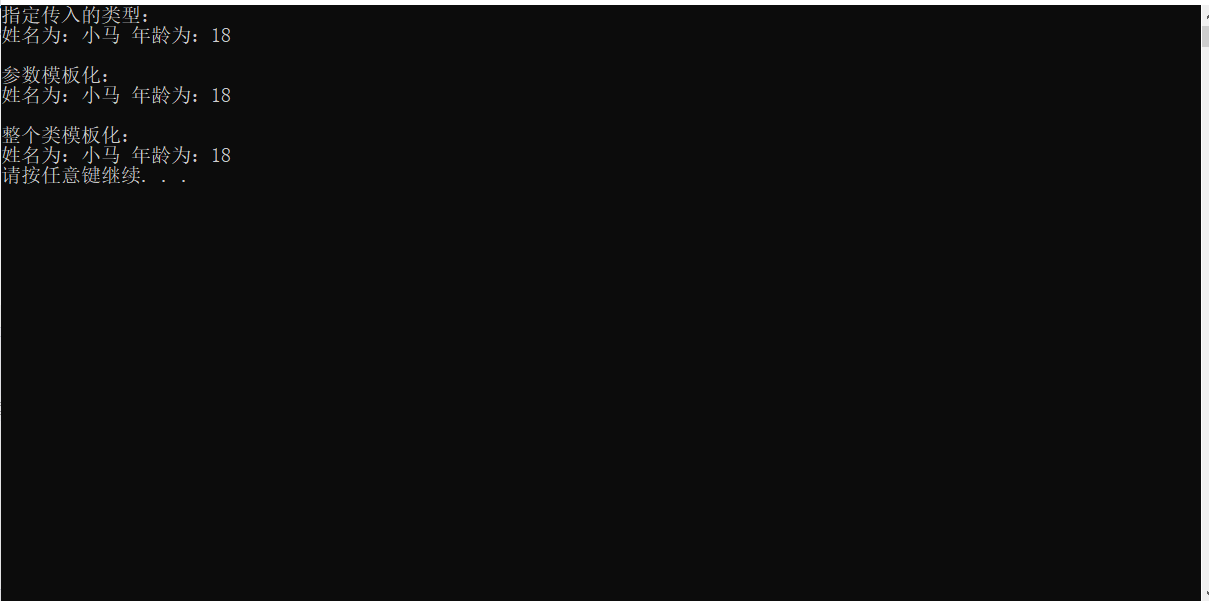
void test01() {
Person<string, int>p1("小马", 18);
cout << "指定传入的类型:" << endl;
printPerson01(p1);
cout << endl;
cout << "参数模板化:" << endl;
printPerson02(p1);
cout << endl;
cout << "整个类模板化:" << endl;
printPerson03(p1);
}
int main() {
test01();
system("pause");
return 0;
}
运行:
总结:
-
通过类模板创建的对象,可以有三种方式向函数中进行传参
-
使用比较广泛的是第一种:指定传入的类型
2.5、类模板与继承
当类模板碰到继承时,需要注意以下几点:
-
当子类继承的父类是一个类模板时,子类在声明的时候,要指定出父类中 T 的类型
-
如果不指定,编译器无法给子类分配内存
-
如果向灵活制指定出父类中 T 的类型,子类野需变为类模板
示例:
xxxxxxxxxx
using namespace std;
//类模板与继承
template<typename T>
class Base {
T t;
};
//class Student :public Base {}; 会被提示缺少参数列表
// 因为编译器运行时,需要给 Student 分配对应的内存空间
// 如果不指定 T 的数据类型,则无法确定分配给 Student 的内存空间
class Student01 : public Base<int> {
public:
Student01() {
cout << "子类指定父类数据类型" << endl;
}
};
//如果想灵活指定父类中 T 类型,子类也需要变类目标那
template<typename T1,typename T2>
class Student02 :public Base<T1> {
public:
T1 obj;
Student02() {
cout << "T1 的类型为:" << typeid(T1).name() << endl;
cout << "T2 的类型为:" << typeid(T2).name() << endl;
}
};
void test01() {
Student01 s1;
Student02<char,int> s2;
// char 类型传递给 Student02 子类的 T1
// int 类型传递个 Student02 子类的 T2
}
int main() {
test01();
system("pause");
return 0;
}
运行:
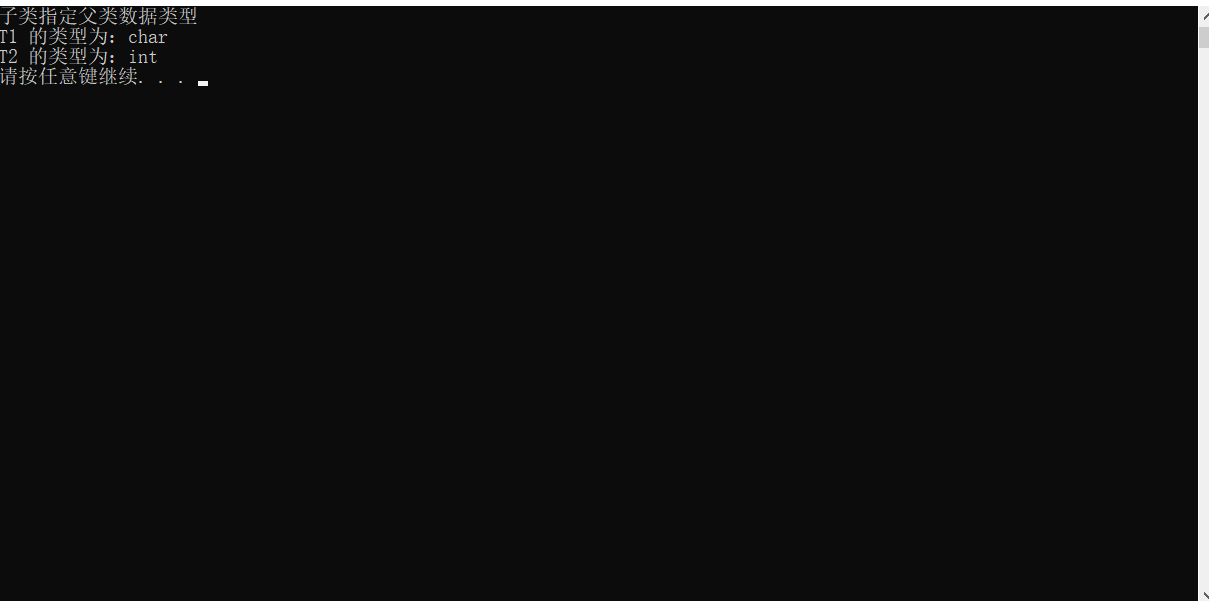
总结:如果父类是类模板,子类需要指定出父类中 T 的数据类型,才能实例化。如果想要灵活指定父类中 T 的数据类型,可以将子类也变为 类模板
2.6、类模板成员函数类外实现
学习目标:能够掌握类模板中的成员函数类外实现
示例:
x
using namespace std;
//类模板成员函数类外实现
template<typename NameType,typename AgeType>
class Person {
public:
//构造函数类内声明
Person(NameType name, AgeType age);
//成员函数类内声明
void showPerson();
private:
NameType* name;
AgeType* age;
};
//构造函数类外实现
template<typename NameType,typename AgeType>
Person<NameType, AgeType>::Person(NameType name,AgeType age) {
this->name = new NameType(name);
this->age = new AgeType(age);
}
//成员函数类外实现
template<typename NameType,typename AgeType>
void Person<NameType, AgeType>::showPerson() {
cout << "姓名为:" << *this->name << " 年龄为:" << *this->age << endl;
}
void test01() {
Person<string,int> p1("小马",18);
p1.showPerson();
}
int main() {
test01();
system("pause");
return 0;
}
运行:
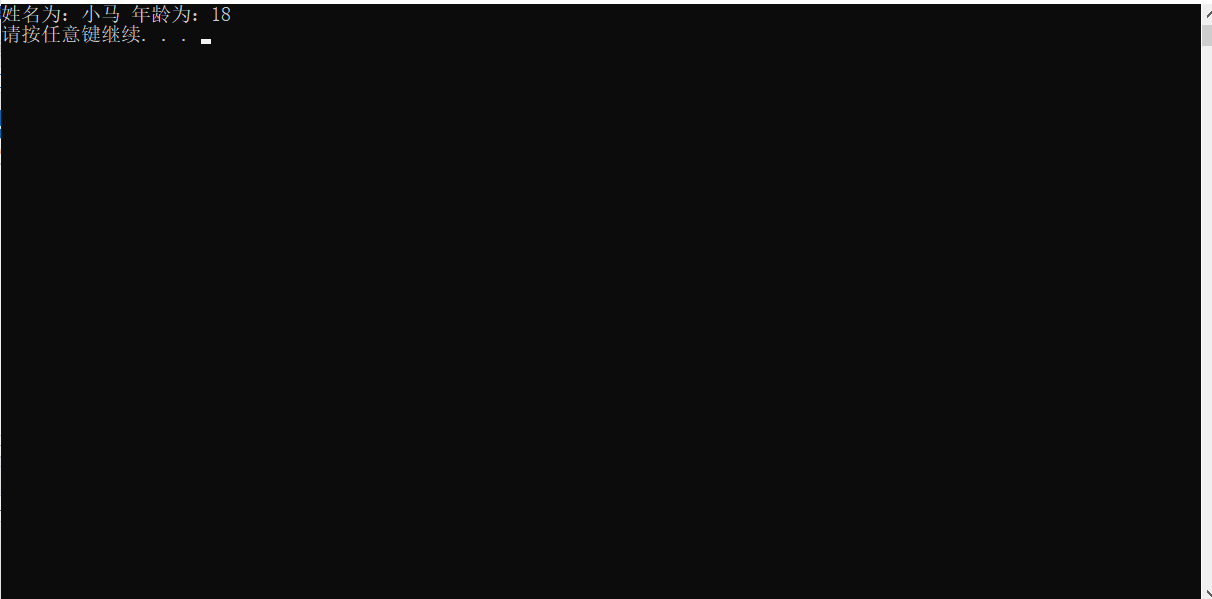
总结:类模板中成员函数类外实现时,需要加上模板参数列表
2.7、类模板分文件编写
学习目标:
-
掌握类模板成员哈桑农户分文见编写产生的木问题以及解决方式
问题:
-
类模板中成员函数创建时机时在调用阶段,导致分文见编写时链接不到
解决:
-
解决方案1:直接包含
.cpp源文件 -
解决方案2:将声明和实现写到同一个文件中,并更改后缀名为
.hpp,hpp 时约定的名称,并不是强制
报错案例:
main.cpp
xxxxxxxxxx
using namespace std;
//类模板分文件编写问题以及解决
void test01() {
Person<string,int> p1("小马",18);
p1.showPerson();
}
int main() {
test01();
system("pause");
return 0;
}
Person.h
xxxxxxxxxx
using namespace std;
template<typename NameType,typename AgeType>
class Person {
public:
Person(NameType name, AgeType age);
void showPerson();
private:
NameType* name;
AgeType* age;
};
Person.cpp
xxxxxxxxxx
template<typename NameType,typename AgeType>
Person<NameType, AgeType>::Person(NameType name,AgeType age) {
this->name = new NameType(name);
this->age = new AgeType(age);
}
template<typename NameType,typename AgeType>
void Person<NameType,AgeType>::showPerson() {
cout << "姓名为:" << *this->name << " 年龄为:" << *this->age << endl;
}
运行:

解决方案1、直接包含 cpp 源文件:
修改后的 main.cpp
xxxxxxxxxx
using namespace std;
//类模板分文件编写问题以及解决
void test01() {
Person<string,int> p1("小马",18);
p1.showPerson();
}
int main() {
test01();
system("pause");
return 0;
}
运行:
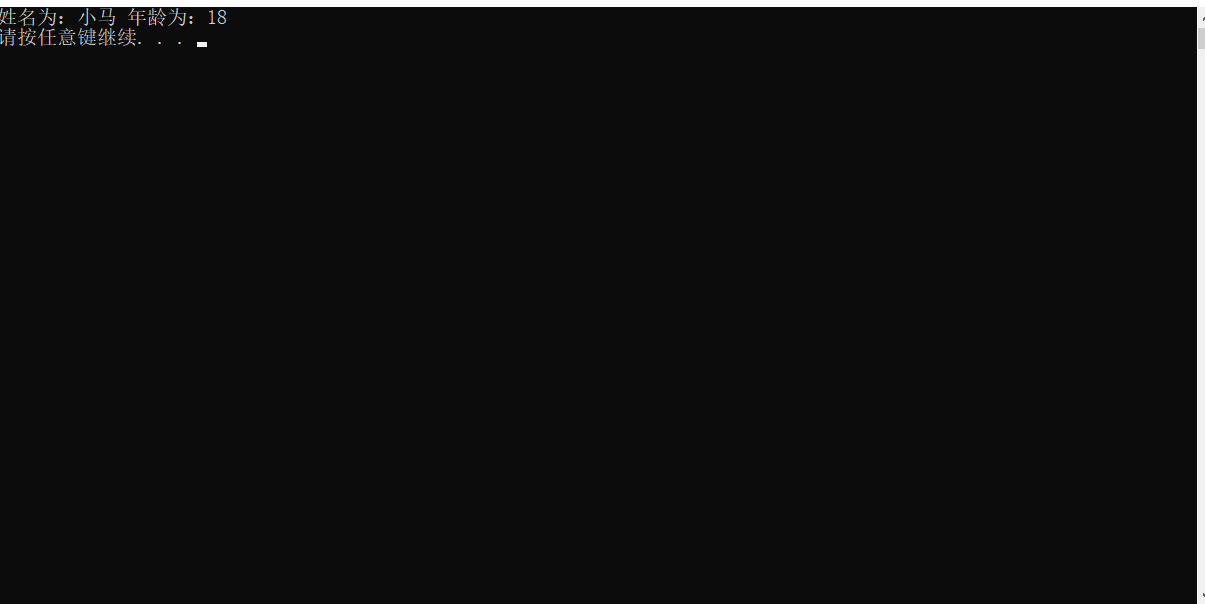
解决方案2、将声明和实现写到同一个文件中,并将文件后缀更改为 hpp
修改后的 main.cpp
xxxxxxxxxx
using namespace std;
//类模板分文件编写问题以及解决
void test01() {
Person<string,int> p1("小马",18);
p1.showPerson();
}
int main() {
test01();
system("pause");
return 0;
}
Person.hpp 文件
xxxxxxxxxx
using namespace std;
template<typename NameType, typename AgeType>
class Person {
public:
Person(NameType name, AgeType age);
void showPerson();
private:
NameType* name;
AgeType* age;
};
template<typename NameType, typename AgeType>
Person<NameType, AgeType>::Person(NameType name, AgeType age) {
this->name = new NameType(name);
this->age = new AgeType(age);
}
template<typename NameType, typename AgeType>
void Person<NameType, AgeType>::showPerson() {
cout << "姓名为:" << *this->name << " 年龄为:" << *this->age << endl;
}
运行:
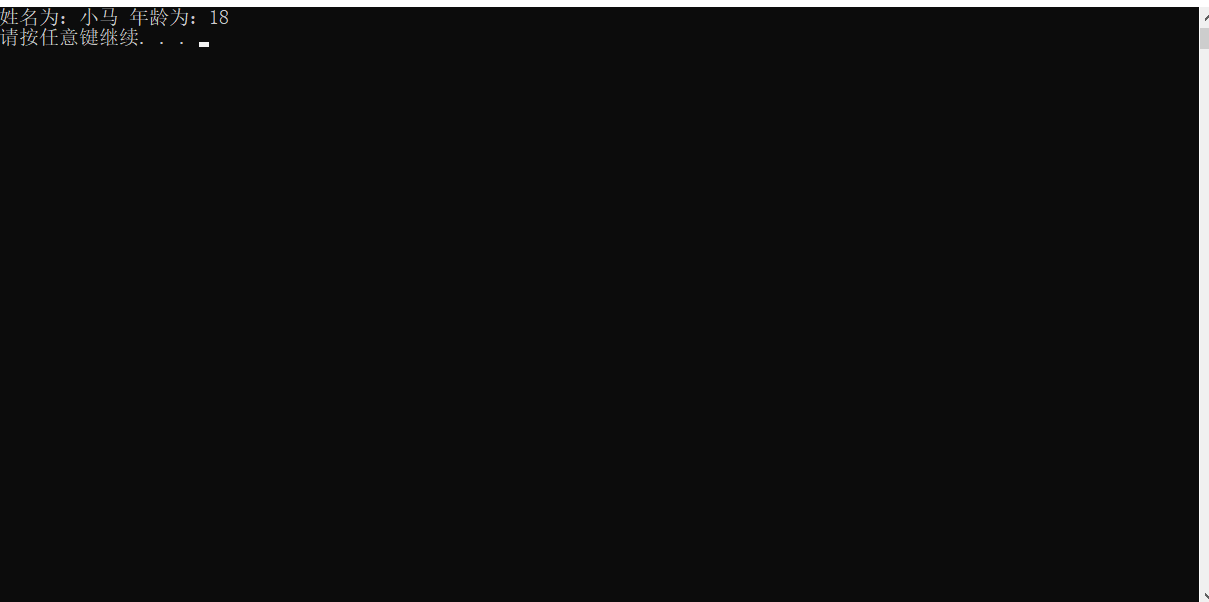
总结:主流的解决方式是第二种,将类模板成员函数写到一起,并将后缀名改为 .hpp
2.8、类模板与友元
学习目标:
-
掌握类模板配合友元函数的类内和类外实现
全局函数类内实现 – 直接在类内声明友元即可
全局函数类外实现 – 需要提前让编译器知道全局函数的存在
示例:
xxxxxxxxxx
using namespace std;
//因为类内声明 类外实现 的全局函数需要调用到 Person 类,所以需要先告知编译器 Person 类的存在
template<typename NameType,typename AgeType>
class Person;
//全局函数 类外实现
template<typename NameType, typename AgeType>
void printPerson(Person<NameType, AgeType> p) {
cout << "类外实现" << '\t' << "姓名为:" << *p.name << " 年龄为:" << *p.age << endl;
}
template<typename NameType,typename AgeType>
class Person {
//全局函数 类内实现
friend void showPerson(Person<NameType,AgeType> p) {
cout << "类内实现" << '\t' << "姓名为:" << *p.name << " 年龄为:" << *p.age << endl;
}
//全局函数 类外实现 类内声明
//类内声明 类外全局友元函数模板 时,需要加空模板参数列表
//如果全局函数为 类外实现,则需要让编译器知道这个函数的存在,所以需要将该函数的实现放置到本类前
//因为该全局函数使用到了本类,所以需要将本类的声明放置在本全局函数前
friend void printPerson<>(Person<NameType,AgeType> p);
public:
Person(NameType name,AgeType age) {
this->name = new NameType(name);
this->age = new AgeType(age);
}
private:
NameType* name;
AgeType* age;
};
void test01() {
Person<string,int> p1("小马",18);
showPerson(p1);
Person<string, int> p2("小宋", 46);
printPerson(p2);
}
int main() {
test01();
system("pause");
return 0;
}
运行:
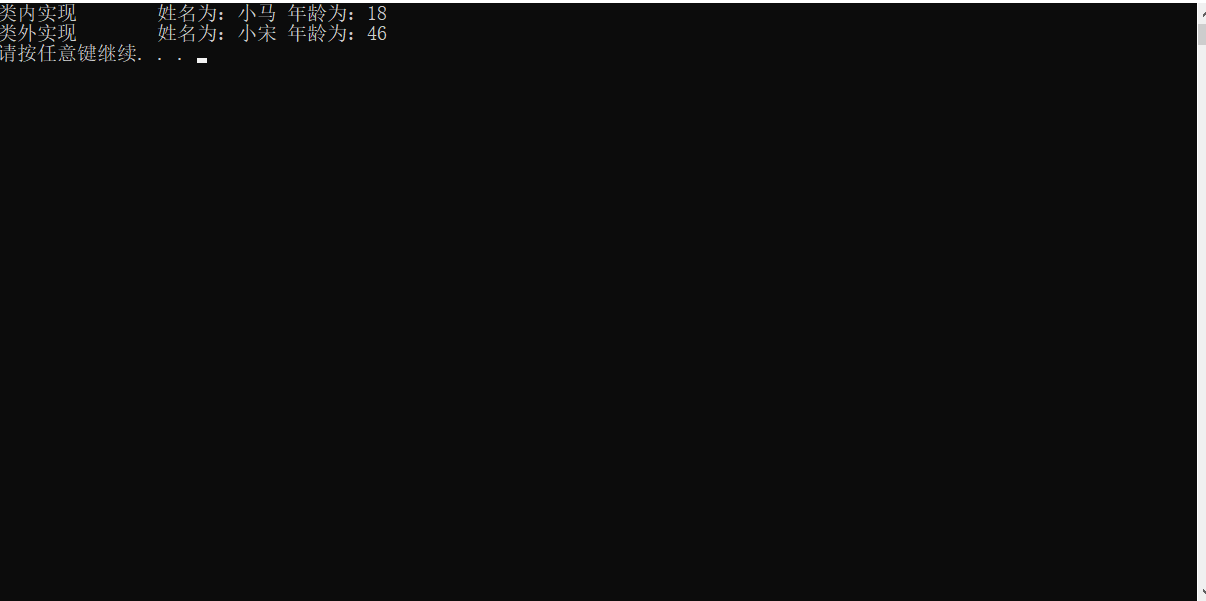
总结:建议全局函数做类内实现,用法简单,而且编译器可以直接识别
类模板案例
案例描述:实现一个通用的数组类,要求如下
-
可以对内置数据类型以及自定义数据类型的数据进行存储
-
将数组中的数据存储到堆区
-
构造函数中可以传入数组的容量
-
提供对应的拷贝构造函数以及 operator= 防止浅拷贝问题
-
提供尾插法和尾减法对数组中的元素进行增加和删除
-
可以通过下标的方式访问数组中的元素
-
可以获取数组中当前元素个数和数组的容量
示例:
main.cpp
xxxxxxxxxx
using namespace std;
void run() {
CustomizeArray<int> cArray(10);
cArray.push_back(10);
cArray.push_back(20);
cArray.push_back(30);
cArray.push_back(40);
cout << to_string(cArray[0]) << '\n'
<< to_string(cArray[1]) << '\n'
<< to_string(cArray[2]) << '\n'
<< to_string(cArray[3]) << endl;
cArray.~CustomizeArray();
}
int main() {
run();
system("pause");
return 0;
}
CustomizeArray.hpp
xxxxxxxxxx
using namespace std;
template<typename MembersType>
class CustomizeArray
{
public:
//构造函数 声明
CustomizeArray(int arrayLength);
//析构函数 声明
~CustomizeArray();
//获取 数组最大长度 函数声明
int getArrayMaxLength();
//获取 数组中成员个数 函数声明
int getArrayLength();
//重载 operator= 函数
MembersType operator=(CustomizeArray& cArray);
//尾插法函数 声明
void push_back(MembersType add);
//尾减法函数 声明
void pop_back();
//拷贝构造函数 声明
CustomizeArray(CustomizeArray<MembersType> & cArray);
//重载 operator[] 函数
MembersType& operator[](int index);
private:
//模板的数组
MembersType* membersArray;
//数组最大长度
int* arrayMaxLength;
//数组当前长度
int* arrayLength;
};
//构造函数 实现
template<typename MembersType>
CustomizeArray<MembersType>::CustomizeArray(int arrayLength) {
membersArray = new MembersType[10];
this->arrayMaxLength = new int(arrayLength);
this->arrayLength = new int(0);
}
//析构函数 实现
template<typename MembersType>
CustomizeArray<MembersType>::~CustomizeArray() {
delete this->membersArray;
this->membersArray = NULL;
delete this->arrayLength;
this->arrayLength = NULL;
delete this->arrayMaxLength;
this->arrayMaxLength = NULL;
}
//获取 数组最大长度 函数实现
template<typename MembersType>
int CustomizeArray<MembersType>::getArrayMaxLength() {
return this->arrayMaxLength;
}
//获取 数组中成员个数 函数实现
template<typename MembersType>
int CustomizeArray<MembersType>::getArrayLength() {
return *this->arrayLength;
}
//重载 operator= 函数
template<typename MembersType>
MembersType CustomizeArray<MembersType>::operator=(CustomizeArray& cArray) {
if (cArray.getArrayMaxLength() != this->getArrayMaxLength())
{
delete this->arrayMaxLength;
arrayMaxLength = new int(cArray.getArrayMaxLength());
}
if (cArray.getArrayLength() != this->arrayLength())
{
delete this->arrayLength;
arrayLength = new int(cArray.getArrayLength());
}
for (int i = 0; i < cArray.getArrayLength(); i++)
{
this->membersArray[i] = cArray[i];
}
}
//尾插法函数 声明
template<typename MembersType>
void CustomizeArray<MembersType>::push_back(MembersType add) {
this->membersArray[*this->arrayLength] = add;
(*this->arrayLength)++;
}
//尾减法函数 声明
template<typename MembersType>
void CustomizeArray<MembersType>::pop_back() {
if (this->getArrayLength() != 0)
{
delete this->membersArray[this->arrayLength];
*this->arrayLength--;
}
}
//拷贝构造函数 声明
template<typename MembersType>
CustomizeArray<MembersType>::CustomizeArray(CustomizeArray<MembersType>& cArray) {
this->membersArray = new MembersType[cArray.getArrayMaxLength()];
this->arrayLength = new int(cArray.getArrayLength());
this->arrayMaxLength = new int(cArray.getArrayMaxLength());
for (int i = 0; i < cArray.getArrayLength(); i++)
{
this->membersArray[i] = cArray[i];
}
}
//重载 operator[] 函数
template<typename MembersType>
MembersType& CustomizeArray<MembersType>::operator[](int index) {
return membersArray[index];
}
运行: